Adding Knowledge Sources: PDFs & Recursive Web Crawling
Transform your raw product manuals, API reference docs, and live websites into searchable vector embeddings. Nexuro AI automatically parses, cleans, chunks, and indexes your data for instant retrieval.
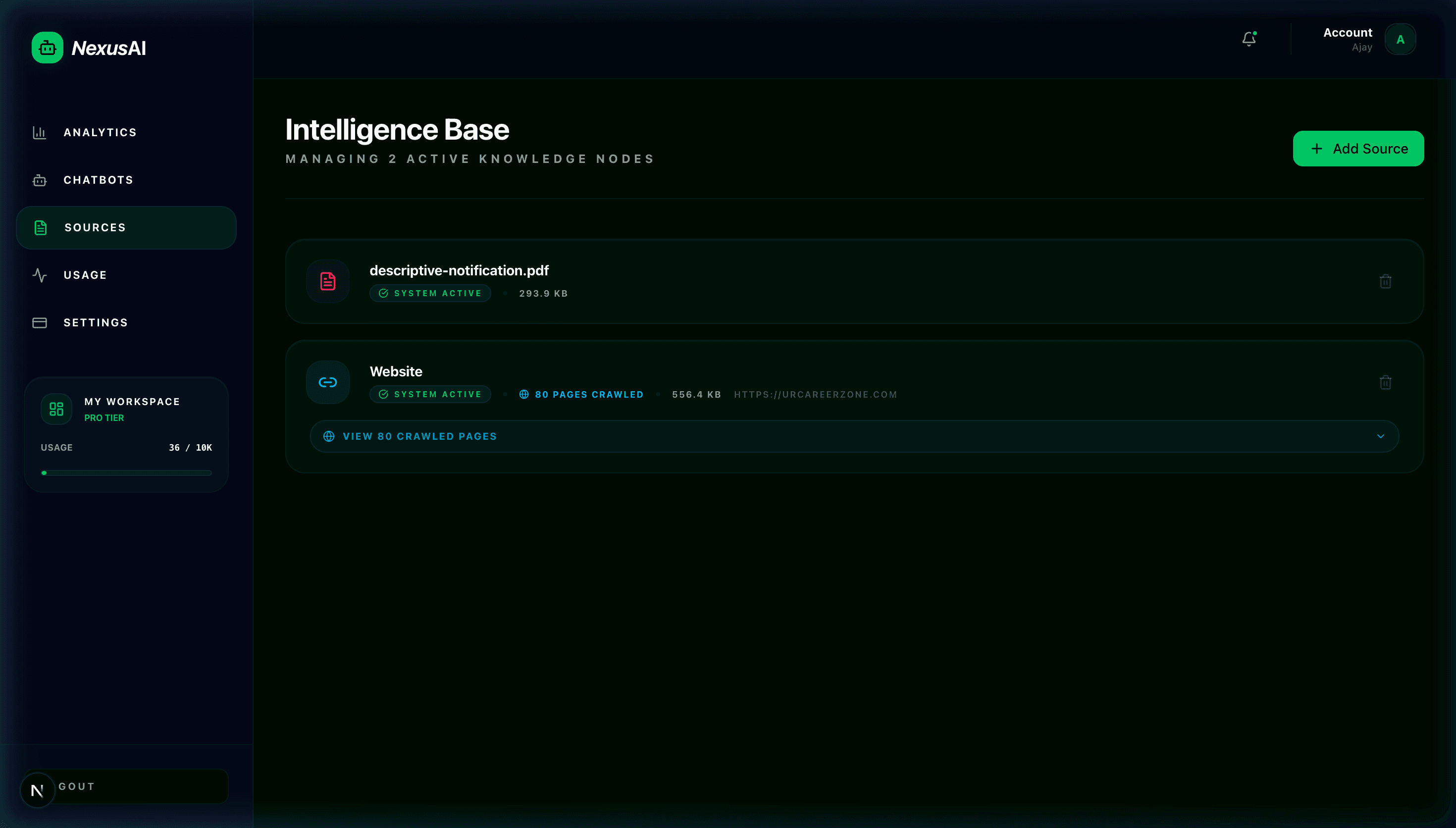
1The Multi-Source Ingestion Modal
Click the "Add Source" button in your dashboard to open the ingestion modal. You can choose between recursive Website Crawling, direct PDF upload, or plain text / Markdown input.
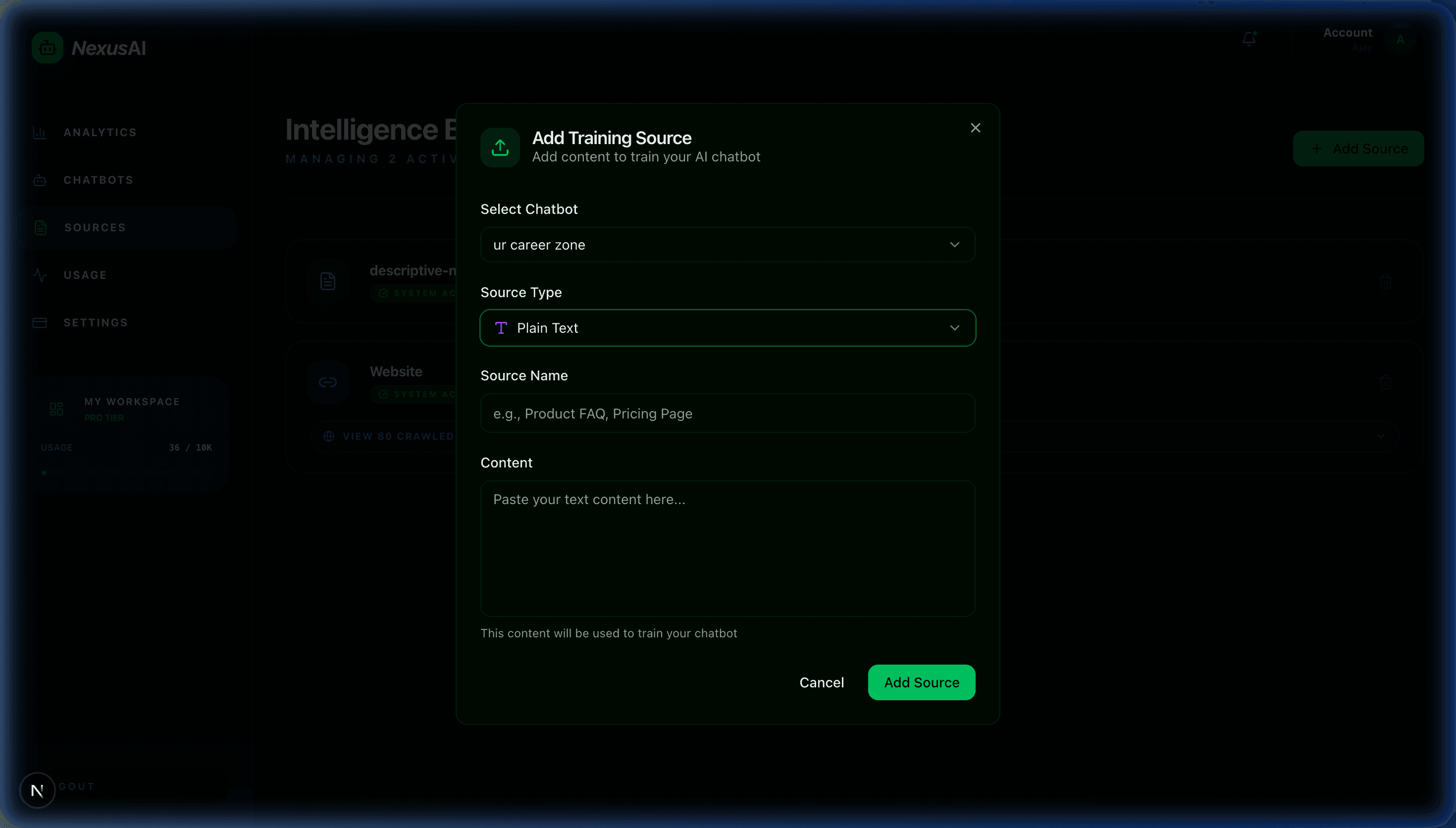
2. Recursive Website Crawling
Nexuro AI features a built-in automated web crawler that extracts main body text, strips away noisy navigation menus, footers, and scripts, and indexes each subpage automatically.
- Select the Website tab in the Add Source modal.
- Enter your target root URL (e.g.,
https://docs.yourcompany.com). - Click Start Crawl. Nexuro AI automatically follows internal links, extracts clean markdown content, and generates vector chunks.
3. PDF & Document Processing
Upload product guides, manuals, onboarding documents, policy handbooks, and terms of service in PDF or TXT format.
Multi-Page Text Extraction
Text is extracted cleanly from PDFs with page boundaries preserved and noise removed for high cosine similarity accuracy.
800-Token Overlapping Chunks
Documents are sliced with a 15% sliding window overlap to ensure sentence context is never fragmented across chunk splits.